
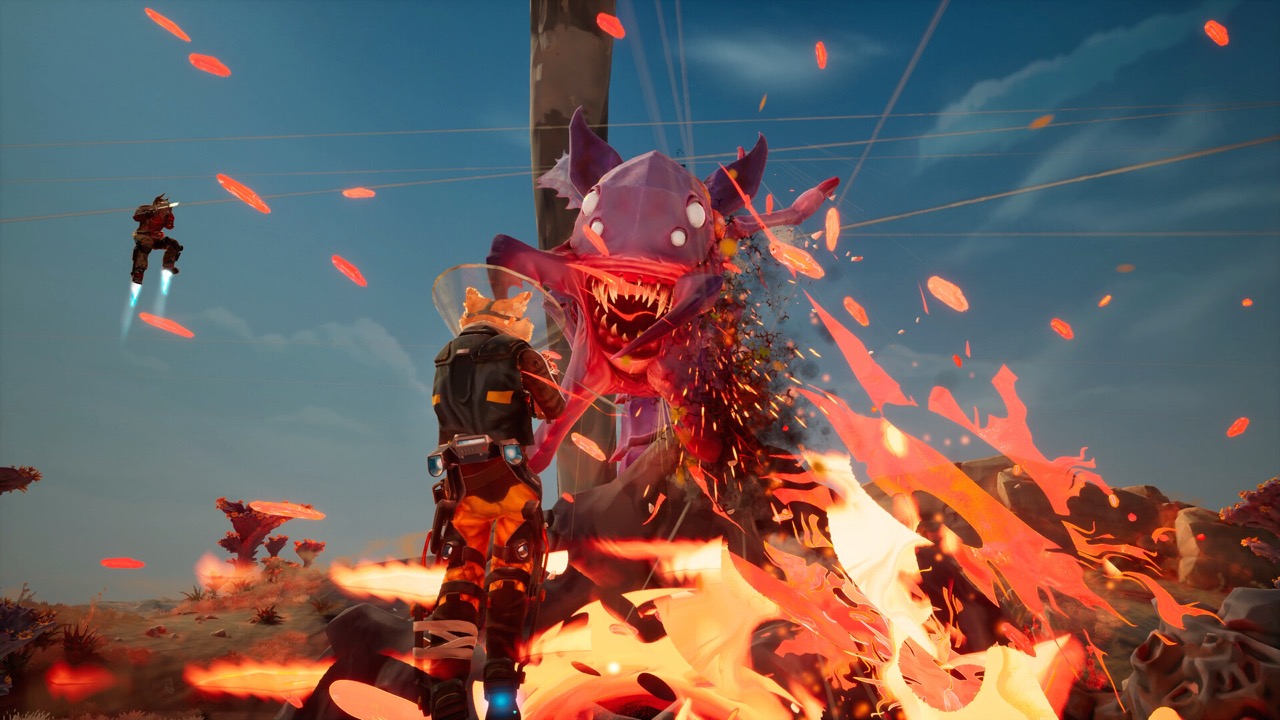
Do You Have to Play the Tutorial?
Since the October 2026 demo, Multiplayer is the first option on the main menu, and you can join friends without finishing the tutorial. The game only asks whether you want to complete it first, noting that it takes a few minutes. Solo play is different: the developer's dev log says tutorial completion is still required to unlock Single Player.
Finishing the tutorial takes you straight to the Host/Join screen. Groups that skipped it in recorded demo sessions repeatedly got stuck on the same prompt, "Position over a build node". If anyone in your squad is new, a few minutes here saves a lot of confusion on the first real job.
Tutorial at a Glance
Use this list as a checklist while you play the first shift. Each step unlocks the next, so don't skip ahead.
- Narrator: COSMO, the ship's AI.
- Required for: unlocking single-player (not multiplayer).
- First structure: the Fabricator, on the first build node.
- Main tools: Grav Beam and mining laser.
- Weapon choice: from the reward pod COSMO authorises.
- Ending: launch prep, a final push and take-off.
Step 1: Connect Pipeline to the Collector
Every mission starts at the Collector, your dropship and the centre of the operation. COSMO's first instruction is to lock the Grav Beam onto the Collector's connector to lay pipeline. Pipeline is the power network that lets you expand across the planet.
Once the pipe is connected, the tutorial confirms that the build node is live. A build node is the circular connector at the end of a pipeline segment, and every structure sits on one. Our build node guide explains the placement rules in more detail.
Step 2: Build the Fabricator
The first structure is the Fabricator, which COSMO describes as how you build everything else. The developer calls it a factory in a box that produces build kits for turrets and other infrastructure. Enter placement mode, line it up and snap it into the pipeline.
Later in a mission you return to the Fabricator to buy more kits with the credits you earn. Getting it down early is the habit that the rest of the shift depends on. Without it, there is nothing to defend the Collector with.
Step 3: Mine and Haul Resources
Next you carve resources out with the mining laser and haul them back to the Collector with the Grav Beam. Resources go into a processor port on the Collector. The tutorial also teaches a shortcut: drop resources on the pipeline and it carries them back for you.
Collecting resources earns build credits, which the tutorial tells you to spend wisely. Some materials are volatile, so handle them with care. See our Electrium guide for the safest way to collect crystals.
Step 4: Place Your First Turret
With credits in hand, you buy a turret build kit from the Fabricator and confirm the purchase. Grab the kit with the Grav Beam, enter placement mode and position it over a build node. On PC in the playtest this meant holding right-click to carry the kit, pressing E for build mode and left-clicking the node.
Since Demo Patch 1, kit details appear when you either look at or hold a Build Kit. The same patch prevents two turrets from being placed on one pipeline node. Turrets earn experience in combat and can later be promoted to stronger variants.
Step 5: Reward Pod, Drone View and Repairs
COSMO then authorises a reward pod. You call it in, crack it open and choose carefully, because this pick becomes your main weapon for the mission. Since the demo, your first pod offers every weapon you have unlocked, as covered in our weapons guide.
The tutorial next introduces drone view, an eye in the sky where nearby enemies are shown in red. After the first wave, one of your turrets is damaged and you repair it with the mining laser. Repairs are a constant job in later waves, so this skill matters.
Drone View and Reading the Map
Drone view is one of the most useful tools the tutorial introduces. It gives you an eye in the sky, and any nearby enemies are shown in red. Use it before each wave to see which direction the swarm is coming from.
Recorded co-op sessions show players switching to drone view to find objectives and build nodes they could not see on foot. On PC, one group found it on the Tab key during the playtest. Controls may change, so follow the on-screen prompt.
Common First-Shift Mistakes
Groups that skipped the tutorial in recorded sessions made the same errors. They tried to place structures with no pipeline, spent all their points on one research tree, and lost track of their own reward pods. Each mistake slowed the first mission badly.
Previewers also warn against rushing the main objective. If your defences are thin, the Collector can fall to the waves, and the mission ends if it is destroyed. Build turrets first, then push toward the objective.
- Lay pipeline before trying to place a kit.
- Call in reward pods promptly so they don't get forgotten.
- Repair turrets between waves with the mining laser.
- Get back to the Collector before the launch countdown ends.
After the Tutorial
Once the tutorial ends, you are back on the mining ship. The engines respond again and the research lab comes online, which COSMO calls the crew's first real step toward home. From there you choose your next planet on the holo table.
Spend your first Research Points in the lab before the next job. Then pick a planet; the second job in recorded demo sessions asked players to connect and defend a fuel pump. Our pipeline guide helps with powered objectives like that.
Step 6: Launch Prep and the Final Push
To leave, you start launch prep from one of the Collector's terminals while the engines run safety checks. COSMO warns that this won't go unnoticed, and hostile signatures spike across the map. Your job is to keep the Collector intact until it is ready to take off.
When the final countdown begins, everyone must get back inside the ship. Anyone who misses the launch is left behind, and the tutorial makes a joke of it. Every real mission ends with this same pattern, which our last mission guide covers.
Frequently Asked Questions
Can I skip the GRAVHOUNDS tutorial?
Yes, for multiplayer. Since the demo you can host or join without it. You still need to finish the tutorial to unlock single-player.
Why does the game say "Position over a build node"?
You need a pipeline segment first. Lay pipeline from the Collector and place the kit on the circular node at its end. See our build node guide.
How long is the tutorial?
The game itself describes it as taking only a few minutes when it offers the tutorial before multiplayer.
Does tutorial or demo progress carry over?
No. The developer says demo progress does not carry into the Early Access release planned for November 2026.
Who guides you through the tutorial?
COSMO, the shipboard AI supervisor, gives every instruction.
What do you mine in the tutorial?
Resources to repair the ship; one demo capture shows the primary job as recovering titanium.
Official Trailer
Sources and Further Reading
- Dev Log #1 – Playtest to Demo Changes (official, Oct 7, 2026)
- GRAVHOUNDS – Official Gameplay Overview (ID@XBOX)
- GRAVHOUNDS official Steam news (Demo Patch 1, playtest posts)
- Steam discussion – “Position over a build node”
- The Gravhounds Demo is Coming! (official, Oct 7, 2026)