
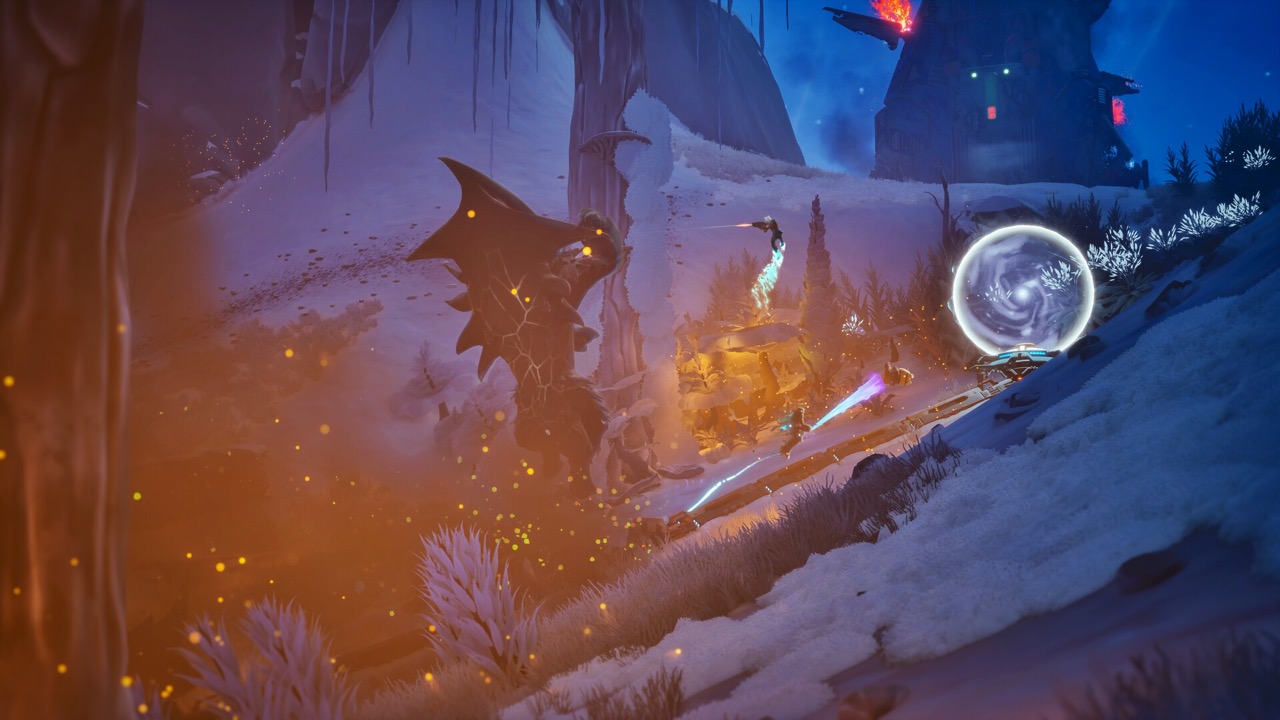
What Pipelines Do
The Steam page says to extend pipelines across hostile terrain to power your base, move resources and keep your escape route alive. The developer's Xbox Wire post adds that they carry power across the planet. Almost everything you build depends on them.
- Power: structures and objectives work only once pipeline reaches them.
- Build space: every segment ends in a build node for a structure.
- Transport: resources dropped on the pipe travel to the Collector.
- Movement: you can grind along powered pipe at high speed.
Pipelines at a Glance
The four jobs your pipeline does, in one list.
- Starts at: the Collector's connector, via the Grav Beam.
- Powers: structures and objectives such as an excavator or fuel pump.
- Creates: a build node at the end of every segment.
- Carries: dropped resources back to the Collector.
- Movement: high-speed grinding with unlimited boost.
Starting Your First Pipeline
Everything starts at the Collector, your dropship. The tutorial tells you to lock the Grav Beam onto the Collector's connector to lay pipeline. Once connected, the build node at the end goes live.
The developer's overview says the first structure to build is the Fabricator. It produces the build kits for turrets and other infrastructure. Place it on that first node before expanding further.
Build Nodes and Structures
A player explanation on the Steam forums is the clearest: build nodes are circular connectors between pieces of player-created pipeline. Every time you extend the pipe, you get a slot for a turret or structure. If the game says "Position over a build node", you need more pipe.
Confirmed structures include turrets, generators and fabricators, placed mid-action with no separate build screen. Since Demo Patch 1, two turrets cannot share one pipeline node. Read our build node guide for placement controls.
Powering Objectives
Many jobs need power. In the developer's gameplay overview, an excavator dropped near a buried artifact needs power to work. The team pushes the pipeline across the planet, sets up defences around the site and then connects it.
Demo jobs follow the same idea, such as connecting a fuel pump and keeping it running until the tanks fill. Expect the swarm to react once a powered objective comes online. Build turrets along the route before you connect.
Moving Resources on the Pipeline
Mined resources normally go into a Collector processor port. The tutorial points out a faster option: drop them on the pipeline and it takes them straight back. That frees you to keep mining instead of hauling.
For Electrium, the developer says breaking the core so crystals land directly on a pipeline is a fast way to collect it. Since the demo, that collection is credited in end-of-match stats. Some Mods also increase the speed of objects moving on the pipeline.
Grinding and Movement
Your boost rig lets you dash, jump and hover around the map. On a powered pipeline, the Xbox Wire post says the rig supercharges, allowing high-speed grinding with unlimited boost. It is the quickest way back to the base during a wave.
Dev Log #1 lists smoother pipeline grinding in the demo, with adjusted boosting and auto-jumping. It also reduced accidental snapping onto pipelines while sliding. The Steam page jokingly prohibits unauthorized recreational use of pipeline boost.
Pipelines and Defence
Your pipe network is also your defensive line. Turrets go on the nodes along it, so a well-placed pipeline decides where the swarm meets your guns. One preview described turrets as needing to be connected, kept powered and repaired during sustained attacks.
Previewers advise running pipe toward the direction enemies arrive from and lining turrets up there. Use drone view to check where the next wave will come from. Turrets earn experience and can be promoted to stronger variants as they fight.
Common Pipeline Mistakes
Recorded sessions show a few repeated errors. Players built long pipes across difficult terrain when an easier route existed, and tried to place kits with no node in reach. Others forgot that resources dropped on the pipe travel back on their own.
- Plan the route before you build; terrain can force detours.
- Keep the network short enough to defend.
- Drop resources on the pipe instead of hauling them by hand.
- Connect powered objectives only after turrets are in place.
Pipeline Fixes in the Demo
Dev Log #1 fixed several pipeline problems from the playtest. Bugs that could send you flying when grinding over infrastructure or boosting through a teleporter were fixed. Clearance around turrets and infrastructure was improved for grinding.
Coffee Cat also got pathfinding fixes for getting stuck on pipelines. Demo Patch 1 then stopped two turrets from sharing a node. These changes make pipeline-heavy bases more reliable.
Planning Your Network
Extend pipeline toward your objective and the resources you need, and place turrets on nodes along the way. The developer notes that going farther gives you more valuable resources but more infrastructure to defend. Keep your network as short as the job allows.
Pipeline-building milestones also feed your Research Points, and the dev log fixed their tracking for the demo. Good routes pay off twice: safer defence and faster progression. Pair this with our tutorial walkthrough.
Frequently Asked Questions
How do I start a pipeline in GRAVHOUNDS?
Lock the Grav Beam onto the Collector's connector. The pipe connects and the build node at its end becomes usable.
Can resources travel on the pipeline?
Yes. Drop resources on the pipeline and it carries them back to the Collector.
How do you grind on pipelines?
Jump onto a powered pipeline. The boost rig supercharges, giving high-speed grinding with unlimited boost.
Can two turrets go on one pipeline node?
No. Demo Patch 1 prevents it.
Why do pipelines matter for Electrium?
Breaking a core so crystals land on the pipe is the developer's fast collection method.
Official Trailer
Sources and Further Reading
- GRAVHOUNDS on Steam (official store page)
- Gravhounds Revealed – Xbox Wire (Josh Holmes, Octopus Panic)
- GRAVHOUNDS – Official Gameplay Overview (ID@XBOX)
- Dev Log #1 – Playtest to Demo Changes (official, Oct 7, 2026)
- GRAVHOUNDS official Steam news (Demo Patch 1, playtest posts)
- Steam discussion – “Position over a build node”